

What Is MagSafe? How It Works on iPhone and Android


What is MagSafe, and how does it work on iPhone and Android? Knowing the answer saves you from buying accessories that won't stick to your phone. MagSafe is Apple's magnet system, but today you can also use it on Android with a metal ring or a magnetic case. In this guide, we explain what it is, which phones have it, and what you need in each case.
It's a ring of magnets that Apple builds into the back of the iPhone starting with the iPhone 12 series. It aligns the wireless charger and holds accessories such as wallets, stands, and grips. According to Apple's official guide, MagSafe accessories attach directly to the iPhone or through a compatible case.
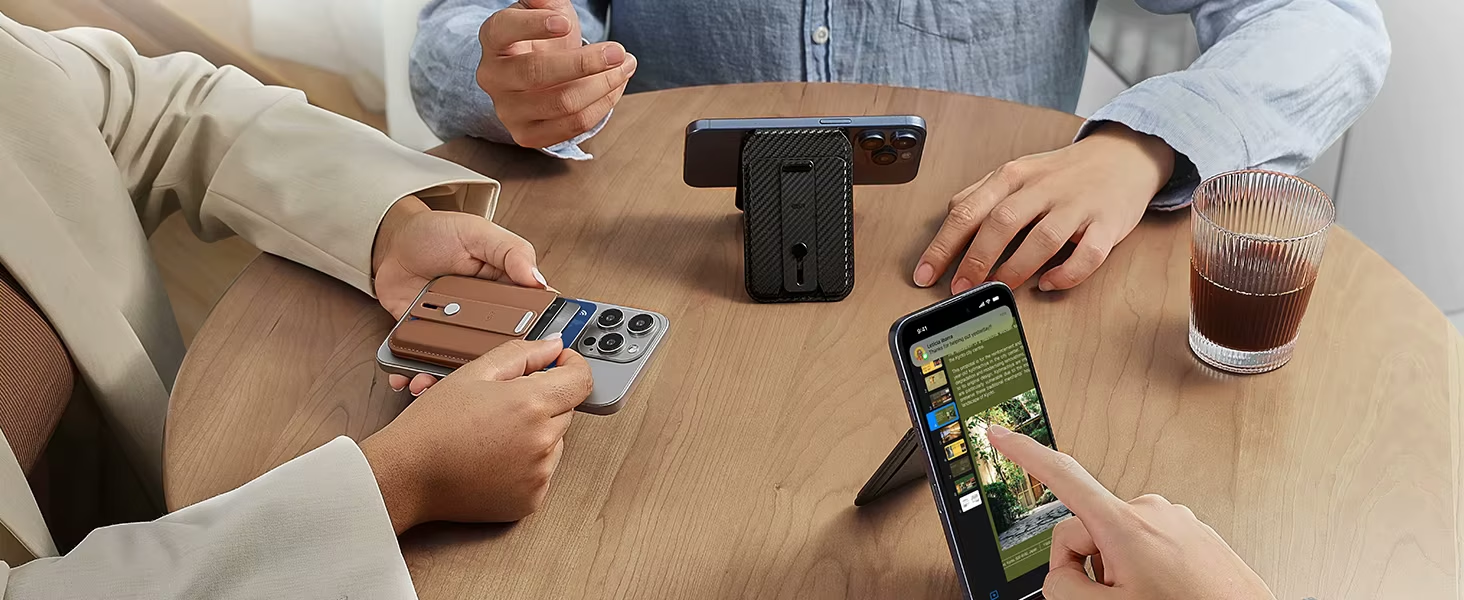
How Does MagSafe Work on iPhone and Android?
On iPhone, the magnets are built into the phone, so any MagSafe accessory snaps on by itself and always in the same position. Most Android phones, on the other hand, don't have those magnets. That's why they need a metal ring or a magnetic case to do the job. Once they have one, accessories attach just like they do on an iPhone.
Which iPhones Have MagSafe?
Every iPhone from the 12 series onward has MagSafe, including the iPhone 17e. The exceptions are the iPhone 16e and the iPhone SE models, which don't have the magnets. With those models, or with an iPhone older than the 12, you need a MagSafe-compatible case.
How to Use MagSafe Accessories on Android

- Adhesive metal ring: it's the simplest option. It sticks to the back of your phone or your case, and some accessories already include one in the box.
- Magnetic case: it has built-in magnets, so you don't have to stick anything on. Look for a MagSafe case or a magnetic case for your model.
- Phones with magnetic Qi2: some recent Android phones, like the Google Pixel 10, already have built-in magnets and work with magnetic accessories without adding anything.
What Is Qi2 and How Is It Different from MagSafe
Qi2 is the wireless charging standard that adopted MagSafe's magnet system so any brand can use it. That's why a MagSafe accessory and a Qi2 accessory attach the same way. The difference is in the name: MagSafe is Apple's brand, while Qi2 is the open standard used by Android manufacturers.
MagSafe Accessories on iPhone and Android: What Each Phone Needs
Before you buy an accessory, check this table to see whether your phone holds it directly or needs something extra:
Swipe the table to the left to see all columns →
| Phone | Attaches directly? | What you need |
|---|---|---|
| iPhone 12 or later (except 16e and SE) | Yes | Nothing; if you use a case, make sure it's MagSafe compatible |
| iPhone 16e, iPhone SE, and models older than the 12 | No | A MagSafe case or a metal ring |
| Android with magnetic Qi2, like the Pixel 10 | Yes | Nothing |
| Most Android phones | No | An adhesive metal ring or a magnetic case |
MagSafe Accessories You'll Find at Gizter
In our MagSafe wallets section, you'll find ESR card holders and wallets. The MagSafe Card Holder and the MagSafe Wallet Stand come with metal rings so you can use them on Android, while the Find My models require an iPhone. For photos, the Telesin MagSafe grip includes a ring for phones without MagSafe, and the Ulanzi MA35 grip also comes with a clamp for any phone.

Ready to Carry Your Cards on Your Phone?
Our MagSafe wallets snap magnetically onto your iPhone and, with their ring, onto many Android phones too.
And if you use your phone to create content, read our guide on how to take better photos with your phone.
MagSafe on iPhone and Android FAQs
None have MagSafe as such, because it's an Apple brand. However, Android phones with magnetic Qi2, like the Pixel 10, work the same way with magnetic accessories.
Usually not, because the rings leave the center open, which is where the charging coil is. The key is to stick it on well centered so the charger lines up.
Yes, because it's attached with adhesive. Still, it can leave residue, so if you change phones often, it's better to stick it on your case rather than directly on the phone.
It's a case with a built-in ring of magnets. On an iPhone with MagSafe, it lets the magnets' hold come through, and on an iPhone without MagSafe or an Android phone, it adds them, so magnetic chargers and accessories snap on just the same.
No. The iPhone 16e supports wireless charging, but it doesn't have MagSafe magnets. To use magnetic accessories, you need a MagSafe-compatible case or a metal ring.
Yes. Every iPhone in the 17 series has MagSafe, including the iPhone 17e, so magnetic accessories snap on without a special case.