

How to Shoot Stable Video with Your Phone: A Guide for Vlogs


Knowing how to shoot stable video with your phone makes the difference between a video people watch to the end and one they skip after a few seconds. The good news is that you don't always need gear. In this guide, we show you tricks that work starting today, how to make the most of your phone's stabilization, and when a gimbal is actually worth it.
Turn on your phone's video stabilization, hold it with both hands and your elbows against your body, avoid digital zoom, and walk in short steps with your knees slightly bent. For moving shots, such as walking or running, use a 3-axis gimbal, which makes up for what the phone's stabilization can't.

How to Shoot Stable Video with Your Phone Without Gear
Before you buy anything, try these tricks. On their own, they already make a big difference in your videos:
- Turn on stabilization: look for the stable video or "action mode" option in your phone's camera. On many models, it's turned off by default.
- Use both hands: hold your phone with both hands and keep your elbows against your body. That way, your torso absorbs part of the movement.
- Avoid digital zoom: every time you zoom in, the shake looks bigger. It's better to walk closer.
- Walk like a ninja: take short steps, bend your knees slightly, and land on your heel first. This reduces the bounce of each step.
- Find support: if the shot is static, rest your phone on a table, a wall, or a tripod instead of holding it.
The 3 Types of Video Stabilization
Image stabilization can come from software, the lens, or an external accessory. Each one corrects a different kind of movement:
Swipe the table to the left to see all columns →
| Type | How it works | Best for | Its limit |
|---|---|---|---|
| Digital (EIS) | Your phone crops the image slightly and compensates for movement with software | Small hand shakes | It narrows the frame and loses sharpness in low light |
| Optical (OIS) | The lens or sensor physically moves to counter vibration | Light vibrations and low-light photos | It can't correct large movements, like walking |
| Gimbal | Three motors keep your phone level at all times | Walking, running, and moving shots | It's one more accessory to carry and charge |
When a Phone Gimbal Is Worth It
Your phone's stabilization works well if you're standing still or moving very little. A gimbal, on the other hand, really shows when movement is part of the shot. For example, it's worth it if you film vlogs while walking, travel tours, sports, or social media videos where you follow someone. It also helps if you film on your own, because many gimbals track your face and keep you in frame.
How to Shoot Stable Video with Your Phone Using a Gimbal
A gimbal does most of the work, but these details change the result:
- Center your phone: place it in the clamp as centered as possible before turning on the gimbal, so the motors don't have to work harder than they need to.
- Choose the mode: most have one mode that smoothly follows your turns and another that locks the direction. Use the first for walking and the second for static shots.
- Turn with your body: instead of moving your wrist, turn your torso. The movement looks more natural.
- Keep walking like a ninja: the gimbal corrects turns, but you control the vertical bounce of your steps.
The Gimbal We Chose at Gizter
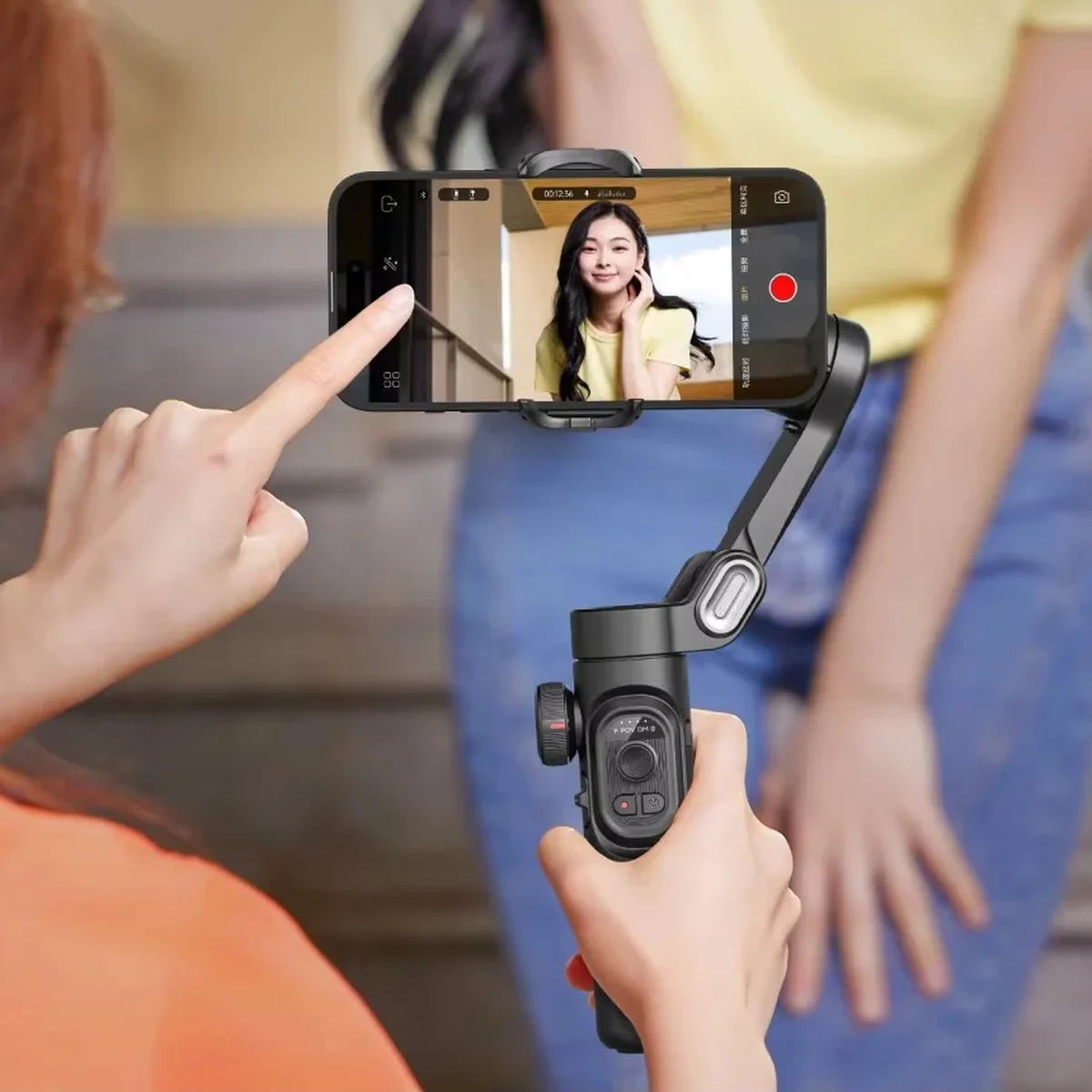
Using these criteria, we chose the AOCHUAN Smart XE phone gimbal. It stabilizes on 3 axes, folds up, weighs 350 g, and has a magnetic clamp that rotates to switch from horizontal to vertical. It also has a focus wheel, a zoom lever, and face tracking. If you film at night, you can add the magnetic RGB light; and if you film on your own, the tracking module follows you without using the app.

Ready to Shoot Without the Shake?
The Smart XE stabilizes on 3 axes, folds up, and fits in your bag so you can take it everywhere.
And if you also want to improve your photos, read our guide on how to take better photos with your phone.
Stable Phone Video FAQs
Only partly. It corrects small hand shakes well, but when you walk or run, the movement is too large. For those shots, a gimbal is still the best option.
For moving shots, 60 fps looks smoother and lets you create slow motion when editing. In low light, on the other hand, 30 fps is better, because each frame gets more light and the image comes out cleaner.
Yes. Most let you rotate your phone to vertical. On the Smart XE, for example, the magnetic clamp rotates to switch from horizontal to vertical without removing the phone.